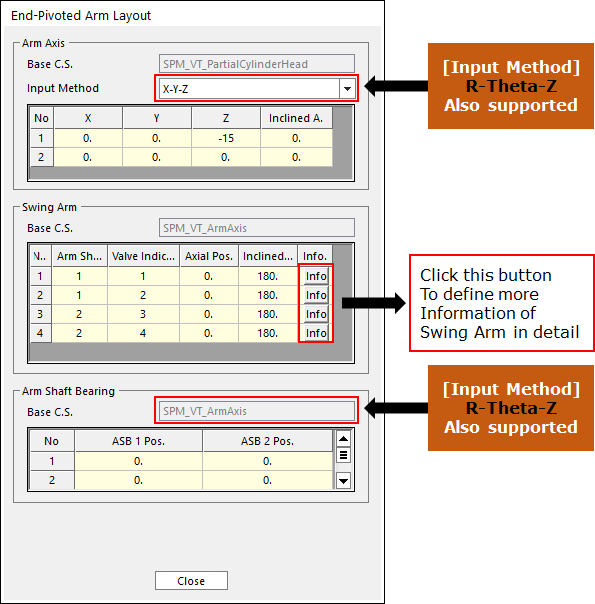
1. Click Swing Arm Layout in the Valve Global Data dialog box. And then the user can see the following dialog box.
•Set up the coordinate system in Swing Arm’s parts.
Figure 1 Swing Arm Layout dialog box
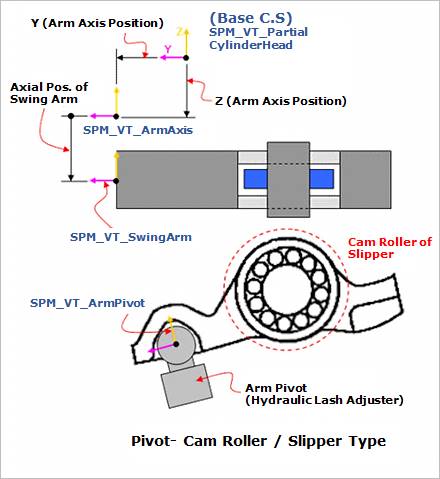
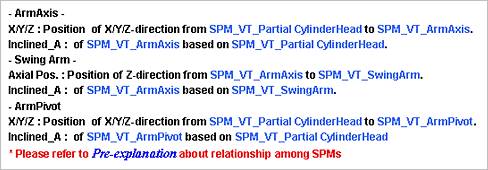
Figure 2 Swing Arm Layout
2. Click Info in the Swing Arm Layout dialog box. And then the user can see the following dialog box.
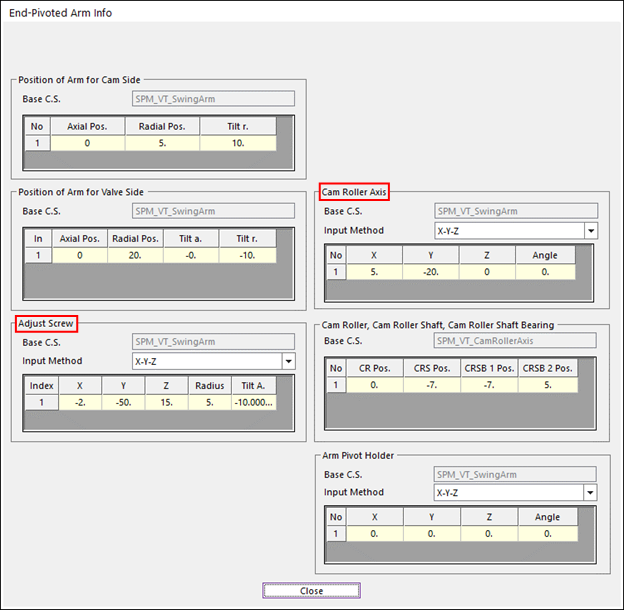
(a) Cam Roller – Adjust Screw Type
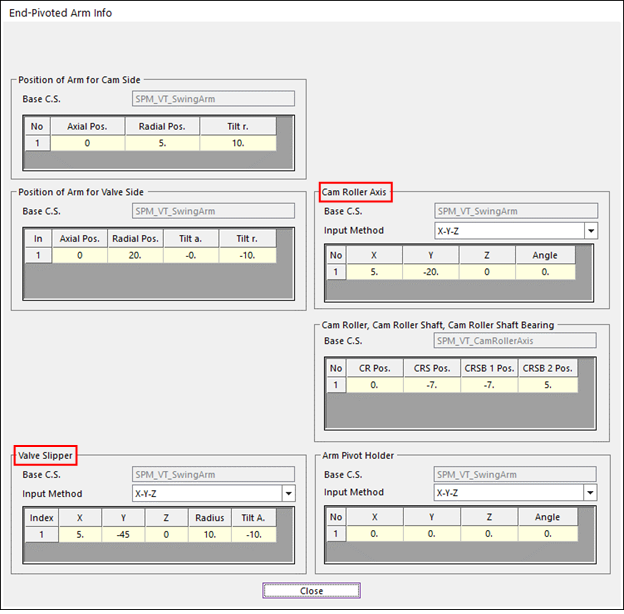
(b) Cam Roller – Valve Slipper Type
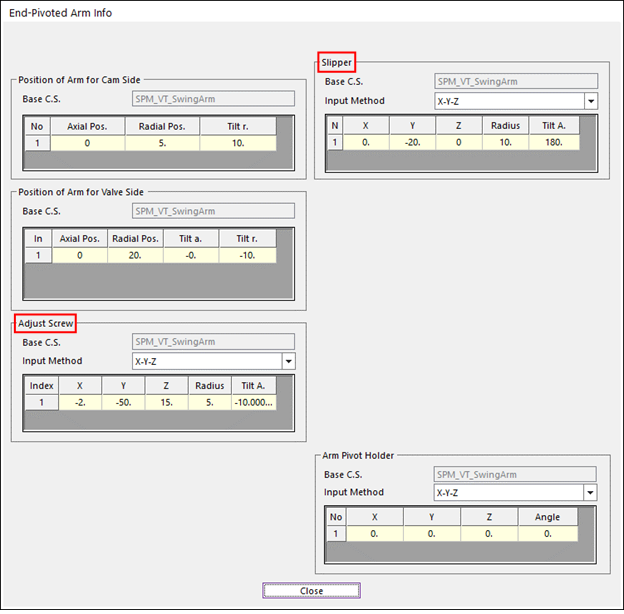
(c) Slipper – Adjust Screw Type
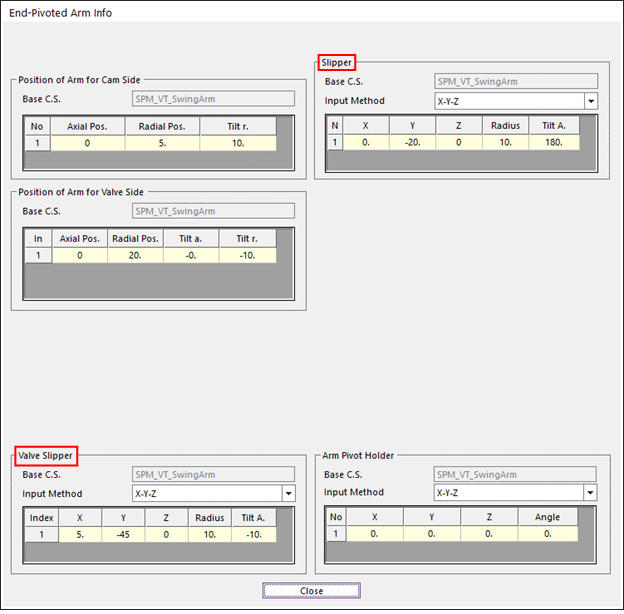
(d) Cam Roller – Valve Slipper Type
Figure 3 Swing Arm Info dialog box

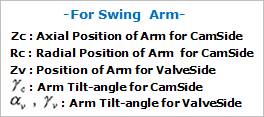
Figure 4 Swing Arm Layout 1
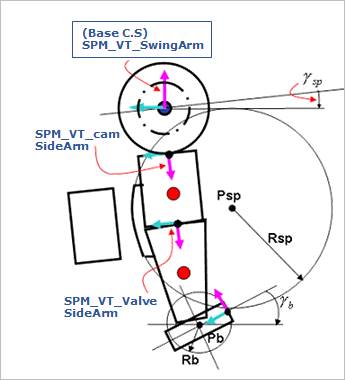
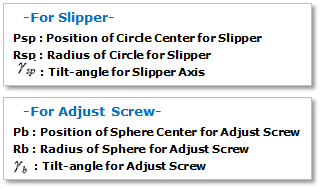
Figure 5 Swing Arm Layout 2
3. After setting up all parameters, click Close in Swing Arm Layout dialog box.