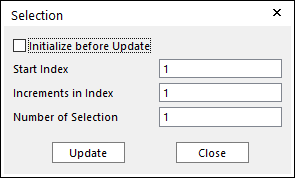
Figure 1 Selection dialog box

Eq 1 Equation for selection rule
•Initialize before Update: If this button is checked and click the Update, only the check boxes of links selected by user-defined rule are activated. Or not, the check boxes of pre-selected links and links selected by user-defined rule are activated.
•Start Index: Shows the starting index in the simple rule.
•Increment in Index: Shows the increment of index in the simple rule.
•Number of Selection: Shows the number of selected links in the simple rule.
1. Enter the values as follows:
•Start Index=3
•Increments in Index=2
•Number of Selection=3
2. The result is as follows.
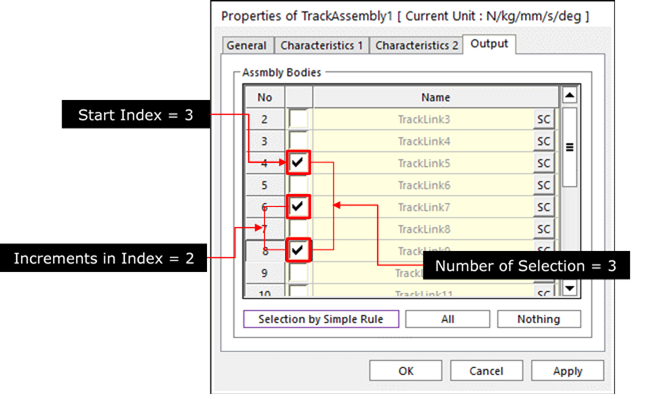
Figure 2 The result of selection
3. Check the result of contact force in the plot mode after solving.