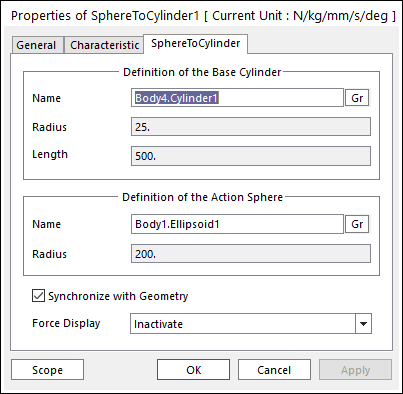
Figure 1 Properties of SphereToCylinder dialog box
•Definition of The Base Cylinder
•Entity Name: Defines the name of base cylinder. The base cylinder can be dispatched from the Working Window by clicking Gr.
•Radius: Shows the radius of base cylinder.
•Length: Shows the length of base cylinder.
•Definition of The Action Sphere
•Entity Name: Defines the name of action sphere. The action sphere can be dispatched from the Working Window by clicking Gr.
•Radius: Shows the radius of an action sphere.
•Synchronize with Geometry
•If this option is checked, Radius and Length in the contact properties are automatically defined with that of the specified graphic.
•If this option is not checked, the user can modify the contact properties.
•Force Display: Graphically displays the resultant force vector on the view window. For more information, click here.