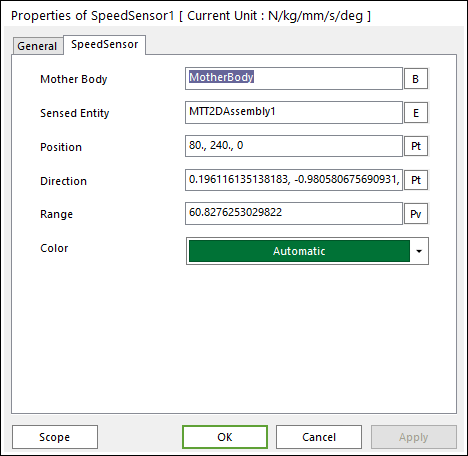
The properties dialog box of the Speed Sensor has two tabs.
Figure 1 Speed Sensor property page
•Mother Body: Defines the body on which the Speed Sensor is fixed.
•Sensed Entity: Defines the sensed entity by the Speed Sensor of MTT2D.
•If MTT2DAssembly is set, all sheets defined in the assembly become a sensing target.
•If a sheet body is set, only the sheet becomes a sensing target.
•Position: Defines the center point of Speed Sensor. The user can input this value as the Parametric Point.
•Direction: Defines the direction of Speed Sensor. The user can input this value as the Parametric Point.
•Range: Defines the detecting range of Speed Sensor. The user can input this value as the Parametric Value.
•Color: Allows selecting the graphic color of Speed Sensor.