
This shows the profile about the particles at the outermost of the y-axis direction on the defined xy plane.
Figure 1 Profile icon in the Post-Process group in the External SPI tab
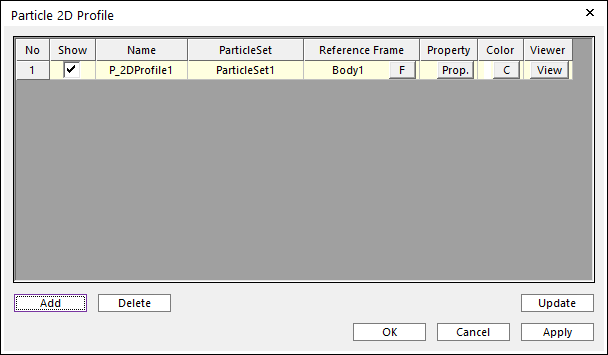
Figure 2 Particle 2d Profile dialog box
•Show: If this option is checked, the 2D profile will be shown on Working Window.
•Name: The name of the 2D profile entity.
•Particle Set: The parent particle set of particles the user wants to draw the profile.
•Reference Frame: The parent body which is the reference frame during animation.
•Property: It defines the property of 2D profile.
•Position: Specifies a reference point of the defined xy plane.
•Normal Direction: Specifies a normal direction of the defined xy plane.
•Ref. Direction: Specifies a x-axis direction of the defined xy plane to determinate the sensing direction (y-axis direction).
•Half Depth: Specifies a half depth of the defined xy plane.
•Ref. Length: Specifies a length to Ref. Direction.
•Divisions: Specifies a value to divide Ref. Length. So, divided points search the outermost particles.
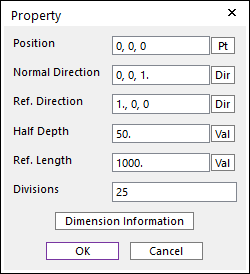
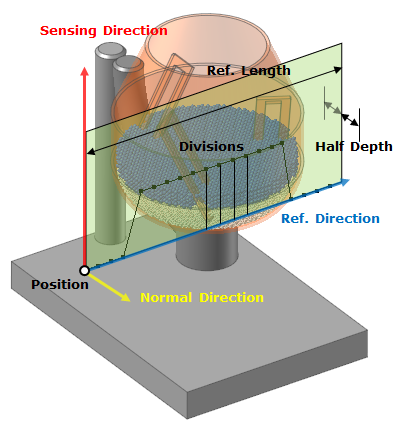
Figure 3 Property Information
•Color: The color of the 2D profile.
•Viewer: It shows the curve of profile on plane defined during animation.
•Add: The user can add the 2D profile entity with this button.
•Delete: The user can delete 2D profiles selected.
•Update: When defining or changing the data which affect the 2D profile, it is necessary to update data with this button.
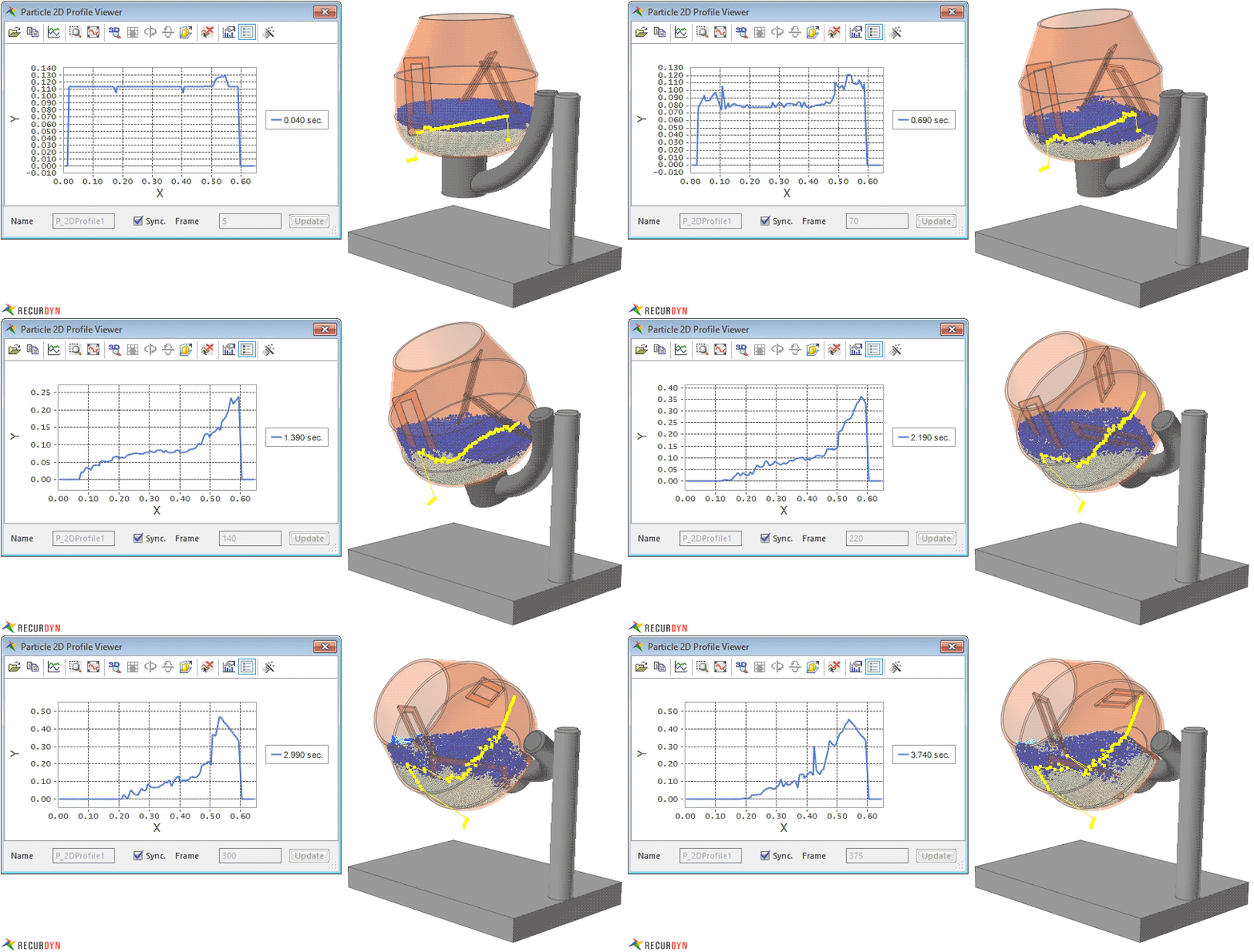
Figure 4 Particle 2D Profile example