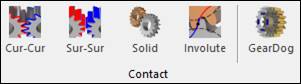
Figure 1 GearDog icon of the Contact group in the Gear tab
The user can define a 3D Contact R as follows.
•Body(Group), Body(Group)
•Body(Group): Selects a GearDog with Convex.
•Body(Group): Selects a GearDog with Concave.
•Group or Body with Convex, Group or Body with Convex
Note
When Gear Dog with Concave is selected, the geometry that defined in Gear Dog with Convex is automatically created.