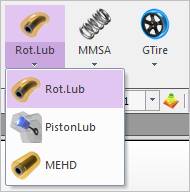
Figure 1 Rotational Lubrication icon of the EHD group in the Toolkit tab
The user can create an EHD Rotational Lubrication as follows.
•Point
•Point: Selects a point on two bodies to define the location of EHD Rotational Lubrication. The normal axis of working plane becomes the axis of rotation.
•Point, Direction
•Point: Selects a point on two bodies to define the location of EHD Rotational Lubrication.
•Direction: Defines a direction of z-axis of EHD Rotational Lubrication as the normal direction to the plane of body.
•Body, Body, Point
•Body: Selects a base body of EHD Rotational Lubrication.
•Body: Selects an action body of EHD Rotational Lubrication.
•Point: Selects a point to define the location of EHD Rotational Lubrication. The normal axis of working plane becomes the axis of rotation.
•Body, Body, Point, Direction
•Body: Selects a base body of EHD Rotational Lubrication.
•Body: Selects an action body of EHD Rotational Lubrication.
•Point: Selects a point to define the location of EHD Rotational Lubrication.
•Direction: Defines a direction of z-axis of EHD Rotational Lubrication as the normal direction to the plane of body.