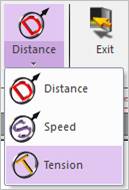
Figure 1 Tension Sensor icon of the Sensor group in the Chain tab
The user can create a tension sensor as follows.
•Point, Distance
•Point: Selects a point on a body to define the center of tension sensor.
•Distance: Defines a range of region to measure output.
•Note: The user should define the sensing target entity by using Tension Sensor property page.
•Body, Point, Distance
•Body: Selects a body to define the parent body of tension sensor.
•Point: Selects a point to define the center of tension sensor.
•Distance: Defines a range of region to measure output.
•Note: The user should define the sensing target entity by using Tension Sensor property page.
•Assembled Body, Point, Distance
•Assembled Body: Selects an assembly as a target entity.
•Point: Selects a point to define the center of tension sensor.
•Distance: Defines a range of region to measure output.
•Body, Assembled Body, Point, Distance
•Body: Selects a body to define the parent body of tension sensor.
•Assembled Body: Selects an assembly as a target entity.
•Point: Selects a point to define the center of tension sensor.
•Distance: Defines a range of region to measure output.