
The CoLink tab consists of basic functions as Edit, Layout, View, and Zoom.
Figure 1 CoLink tab
Clipboard
•Cut (Ctrl+X): Removes the selected entities from the working window and it places them into a temporary buffer.
•Copy (Ctrl+C): Makes a copy of the set of selected entities and it places them into a temporary buffer.
•Paste (Ctrl+V): Pastes into the working window a set of selected entities stored in the temporary buffer by the Copy or Cut command.
•Delete (Del): Deletes the selected entities from the working window.
View
•Translate: Translates the working window. Shortcut is supported as T key.
•Select Zoom: Zooms in the selected area. Shortcut is supported as S key.
•Zoom Out: Sets the view size of current working window to 50 percent.
•Zoom In: Sets the view size of current working window to 150 percent.
•Fit: Sets the view size of current working window to 100 percent. Shortcut is supported as F key.
•Add Text: Adds the desired text.
•Text Color: Changes the text color of the selected entities.
•Line Color: Changes the line color of the selected entities.
•Block Color: Changes the block color of the selected entities.
•Screen Color: Changes the screen color of CoLink.
•Flip horizontal: Flips horizontally the position of the connectors of the block.
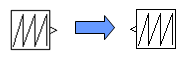
•Flip vertical: Flips vertically the position of the connectors of the block
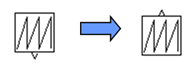
•Rotate-90 degree: Rotates the position of the connectors of the block.
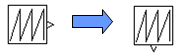
•Rotate 90 degree: Rotates the position of the connectors of the block.
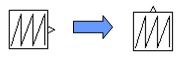
Windows
•DataBase Window: Displays the DataBase Window.
•New Window: Opens the new window with the current model.
•Cascade Window: Arranges the working window in the Cascade form.
•Tile Widows: Arranges the working window in the Tile form.
•Arrange Icons: Arranges the working window icon.