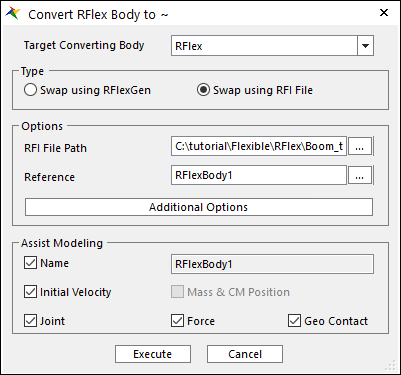
When the target body is RFlex body, if the user wants to swap with a RFI file, Swap using RFI File type can be used.
Figure 1 Swap using RFI File Type
•Target Converting Body: Select a target body type. In this case, please select RFlex.
•Type: Select a method how to change from RFlex to RFlex. In this case, please select Swap using RFI File.
•Options
•RFI File Path: Define a path of the file that is used to swap.
•Reference: Define a reference frame that is used to swap.
•Additional Options
•Options: When FFlex body is converted to RFlex body, some options are needed. For more information about this dialog, please refer to Options in RFlex.
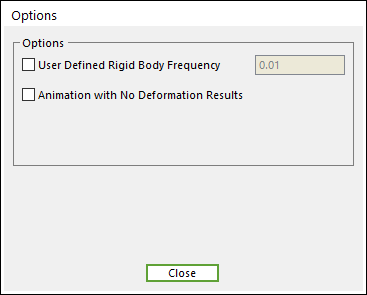
Figure 2 Options dialog box
•Assist Modeling: some items can be maintained after converting process.
•Name: Maintains the name of source body.
•Initial Velocity: Maintains the initial velocity of source body.
•Joint: Maintains Joint entities related to the source body.
•Force: Maintains Force entities related to the source body.
•Geo Contact: Maintains Geo Contact entity related to the source body. Other Contact entities are not supported.
o In the case of Geo Surface Contact, a Patch Set is created for the whole surface of the base or action geometry.
o In the case of Geo Curve Contact, a Line Set is created for the first edge of the base or action geometry.